
On the website apps.likoton.pl/lamg I have published a new version of the LiKoToN AutoMapa Geocoder application, which allows address geocoding and reverse geocoding using the AutoMapa API. The new release is version 2.0.0 and includes several smaller improvements, as well as one major enhancement that may be useful to many users.
In LiKoToN AutoMapa Geocoder 2.0.0, I changed the way statuses are displayed in the data preview after loading a file in the Import tab. Instead of a text description, an icon is now shown. Hovering over the icon with the mouse displays a tooltip explaining the meaning of the status.
Another change in the data preview table is that the Delete button (trash can icon) is automatically replaced with an Undo icon when a row has been marked as skipped. This makes it immediately clear that the previous state can be restored.
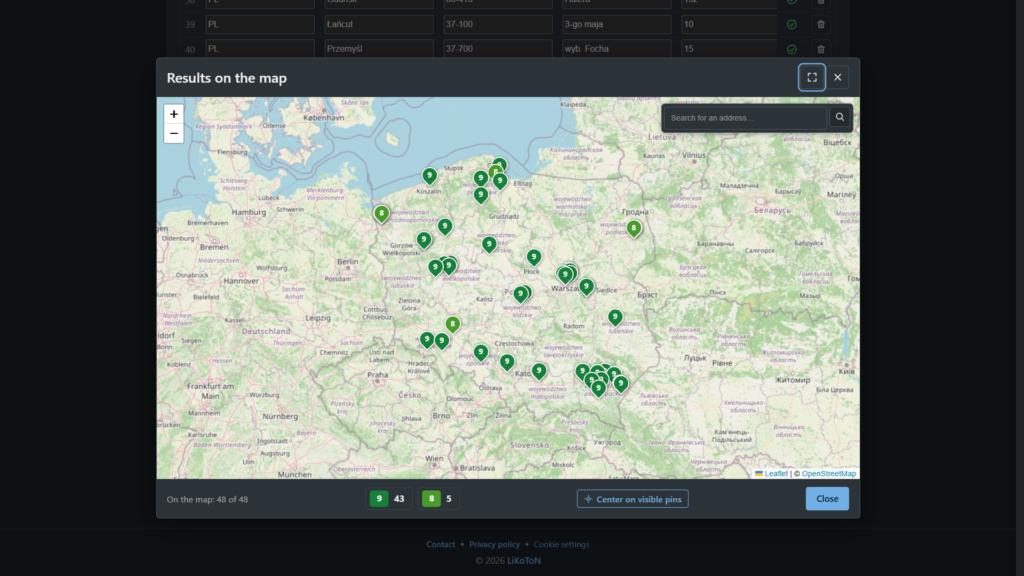
The biggest new feature, however, is the addition of the “Show on map” button, which becomes available after geocoding addresses from a file in the Import tab. Clicking this button opens a map displaying all locations returned by the geocoder, grouped by match quality. By clicking a specific geocoding quality category, you can hide or show locations belonging to that category. The map can also be re-centered after panning, and clicking a map marker displays its description along with the match quality. If the map preview area is too small, the map can be expanded to fill the entire page.
Video
The new features introduced in this release can be seen in the video below:
Version:
- 2.0.0

Leave a Reply