
LiKoToN WP Debug is a lightweight and modern WordPress plugin that automatically collects PHP errors, WordPress errors, REST API calls, and user logins. It displays all this information in a clear, sortable, and filterable table. It also offers a dark mode interface and CSV export.
Features
Log Collection
- PHP errors and warnings
- WordPress errors (wp_error_added)
- REST API requests (route, method, parameters)
- User login events
- Custom logs via LWD_Logger::log()
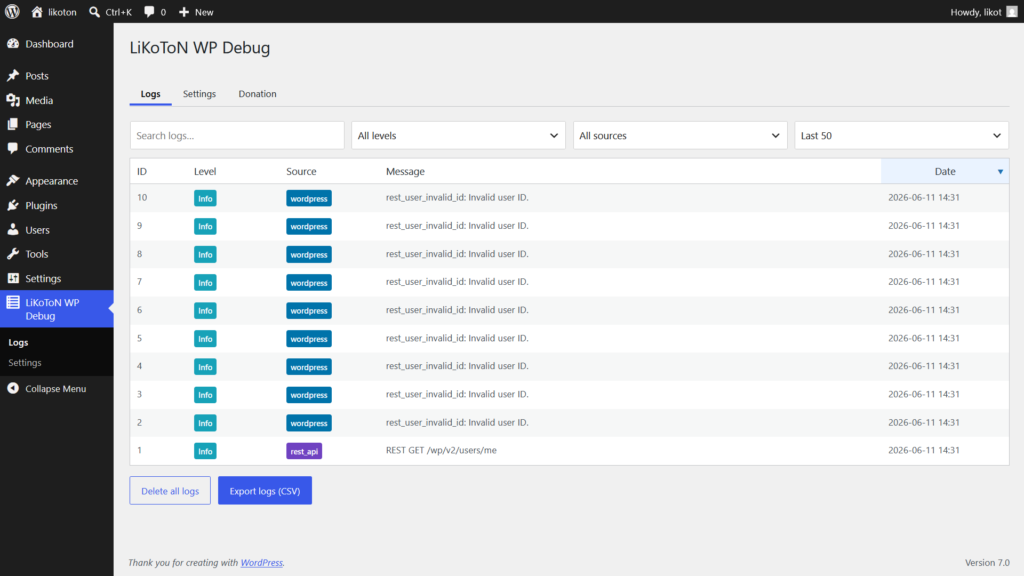
Logs Viewer
- Live AJAX filtering (search, level, source, last X logs)
- Client-side sorting by any column
- Automatic sorting by newest date
- Colored badges for levels and sources
- Responsive table with horizontal scroll
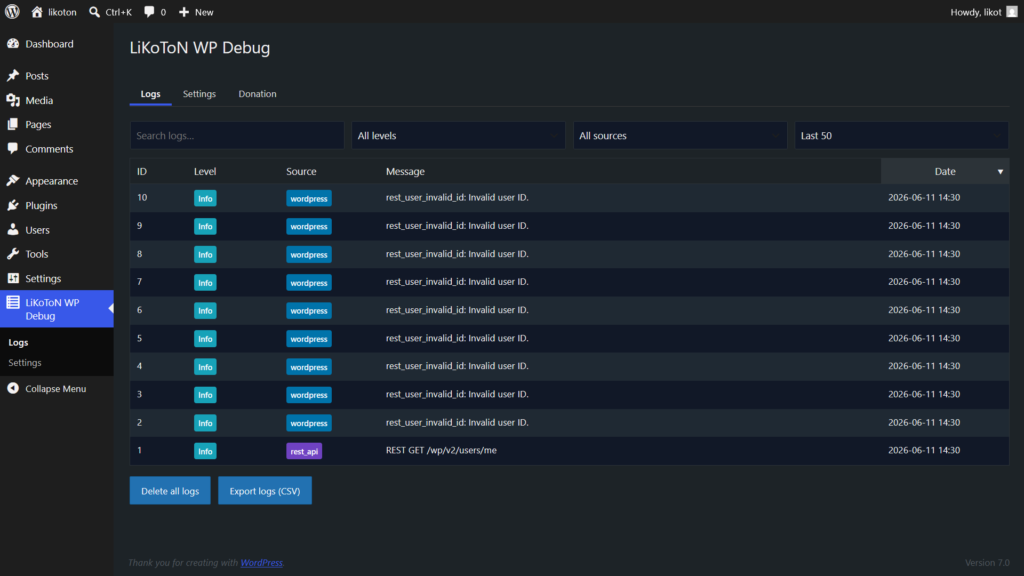
Dark Mode
- WordPress 7-style toggle
- Automatically applied to Logs, Settings, and Donation pages
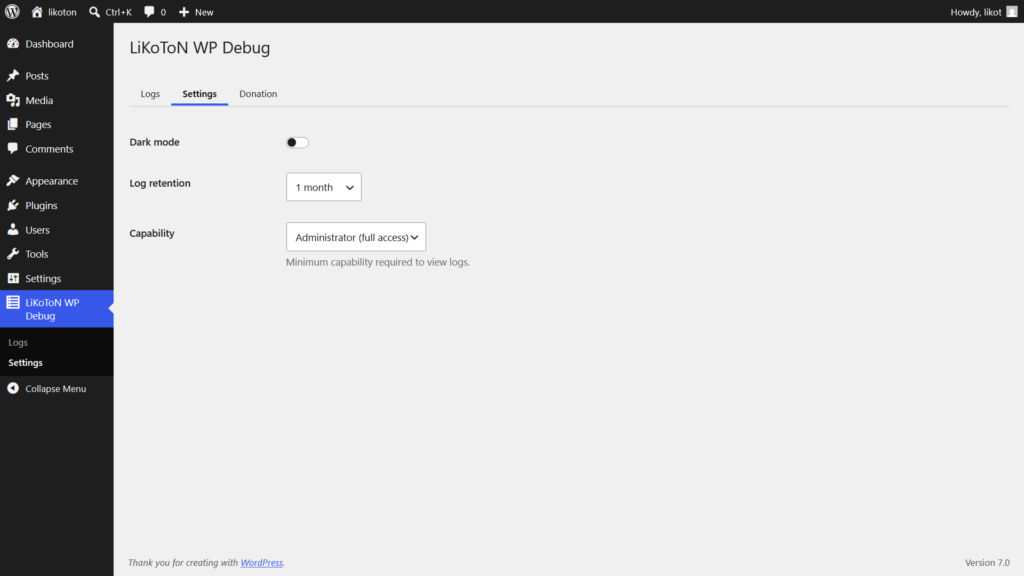
Settings
- Dark mode toggle
- Log retention (30m → 1 month)
- Capability required to access logs (Administrator / Editor / Moderator)
- Auto-save via AJAX with toast notification
Automatic Cleanup
- WP-Cron based cleanup
- Configurable retention interval
- Automatic table optimization
Export
- Export all logs to CSV
- Secure via nonce and capability check
Available log levels
- PSR‑3 + extended PHP levels
Installation
From WordPress Dashboard
- Dowload likoton-wp-debug.zip
- In the WordPress dashboard, select Plugins -> Add Plugin -> Upload Plugin
- Upload the plugin ZIP
- Activate LiKoToN WP Debug
- Go to LiKoToN WP Debug → Logs
Manual Installation
- Dowload likoton-wp-debug.zip
- Unzip the likoton-wp-debug.zip file
- Upload folder likoton-wp-debug to /wp-content/plugins/ or wherever you install your plugins
- In the WordPress dashboard, select Plugins and activate the LiKoToN WP Debug plugin
- Go to LiKoToN WP Debug → Logs
FAQ
- Does this slow down my site?
No — logs are inserted asynchronously and stored in a dedicated table. - Can I export logs?
Yes, via Export logs (CSV) button. - Can I change who can access logs?
Yes — choose capability in Settings. - Does it support multisite?
Yes, each site has its own logs table.
Changelog
1.0.0
- Initial release
- PHP/WP/REST/login logging
- AJAX filters
- Dark mode
- CSV export
- Automatic cleanup
- Capability control